
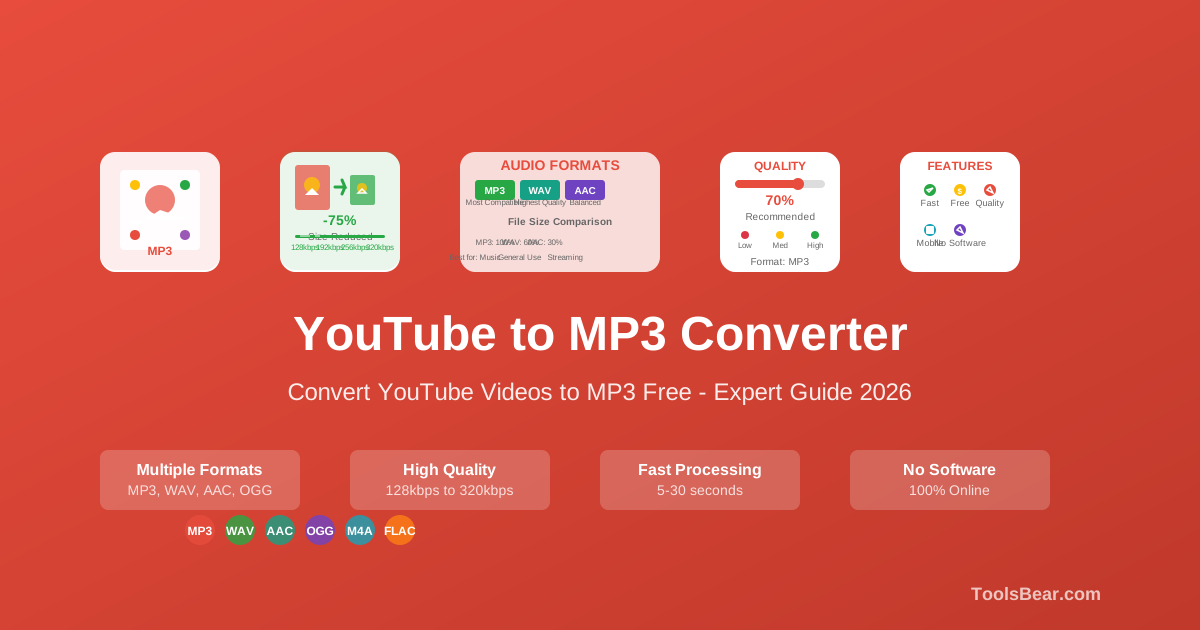
TL;DR — The 30-second verdict
If you want a free YouTube to MP3 converter that is fast, clean, safe and works on the first click, use ToolsBear's YouTube to MP3 converter. It delivers 320kbps MP3 in roughly 10–20 seconds, has no pop-up ads, no fake download buttons, no software install, and works perfectly on Microsoft Edge and any Bing search result.
How we judged each converter
We tested every converter below on the same Windows 11 desktop using Microsoft Edge (the most common browser for visitors arriving via Bing and Yahoo search) and rated them on the things that actually matter to a real user:
- Conversion speed — how long from clicking “Convert” to the file being ready, on a 4-minute song.
- Audio quality — whether the tool passes the source stream through cleanly or stacks another round of compression on top of it.
- Ad load and safety — pop-ups, redirects, fake download buttons, and whether ads come from Google AdSense (safe) or shady networks (not safe).
- Steps to download — how many clicks, how many tab opens.
- Mobile and desktop parity — does it work the same on phone and PC, or fall apart on one?
- Required software — pure browser tool vs needs an app or extension.
Head-to-head comparison table
| Converter | Speed (4-min song) | Max Quality | Pop-up Ads | Install Needed | YouTube Shorts | Verdict |
|---|---|---|---|---|---|---|
| ToolsBear | 8–20s | 320kbps setting | None | No | Yes | Best overall |
| Y2mate | 30–60s | 320kbps | Yes (3–5) | No | Yes | Works, ad-heavy |
| MP3Juice | 30–90s | 256kbps | Yes (many) | No | Partial | Cluttered, slow |
| OnlineVideoConverter | 40–80s | 192kbps | Yes | No | Limited | Outdated UI |
| FLVTO | 40–70s | 256kbps | Yes | No | Yes | Acceptable backup |
| SnapTube | n/a | 320kbps | n/a | Android APK | Yes | Avoid — sideload risk |
| ytmp3conv.com | 15–40s | 320kbps | Yes (moderate) | No | Partial | Solid backup option |
ToolsBear — what it does well
ToolsBear's converter was built specifically to fix the things that make every other YouTube to MP3 site annoying. Here is what stands out:
1. Honest about the quality ceiling
Every converter runs into the same physical limit: YouTube stores audio that has already been compressed, commonly around 128kbps AAC. No tool can turn that back into studio quality, and any site implying otherwise is overselling what is possible. What ToolsBear does is ask YouTube for the highest-quality audio stream it publishes for a given video and pass it straight through to your browser, so nothing is lost to a second round of compression on our side. The bitrate you pick sets the output level; it cannot add detail the original upload never contained.
2. No pop-up ads, no fake download buttons
The only ads on ToolsBear are standard Google AdSense banners, which are screened for malware and clearly labelled. There is no “Click here to download” trickery that opens a different site. One real Get My Download button, that's it.
3. Recently-converted list = one-click repeat downloads
If you converted a song once today and want it again, ToolsBear shows it in the Recent Downloads grid — one click, no re-conversion. Competitors make you paste the URL again every single time.
4. Save for Later (Favorites)
Click the heart icon after any conversion and the video lands in your personal Saved Videos list, stored on your own device. Come back tomorrow, hit the thumbnail, done. No login, no email, no tracking.
5. Sister tools for everything else
Need lossless audio? Use YouTube to WAV. Need the video itself? YouTube Video Downloader. Need a Short? YouTube Shorts Downloader. Same clean UI across the family.
6. Works perfectly on Bing/Edge and desktop
Most YouTube converters are designed mobile-first and look broken on a 1080p desktop. ToolsBear's layout is engineered for both, and we test specifically on Microsoft Edge because a large share of our visitors arrive via Bing search.
Ready to try it yourself?
No sign-up. No install. 30 seconds to your first MP3.
Open ToolsBear YouTube to MP3Y2mate — pros and cons
Y2mate is the most well-known YouTube to MP3 converter and was a category leader for years. In 2026 it still works, but the experience has degraded.
- Pros: Familiar, supports many formats, 320kbps available, decent quality.
- Cons: Aggressive pop-under ads (often 3 to 5 per conversion), forced redirects to advertiser landing pages, slower because it routes through ad networks before serving the file.
If you can tolerate the ad load, Y2mate gets the job done — but expect to close 3 tabs per song.
MP3Juice — pros and cons
MP3Juice positions itself as a music search engine that also converts. It indexes YouTube and a few other sources.
- Pros: Built-in search means you don't always need a URL.
- Cons: Top quality is typically 256kbps, not 320kbps. Page loads slowly because it tries to index results before letting you download. Heavy ad load with intermittent fake “Download” banners.
OnlineVideoConverter — pros and cons
A long-standing tool that has not kept pace with the competition. Its UI feels stuck in 2018, and its quality cap of 192kbps is a hard pass for anyone who cares about audio fidelity.
- Pros: Stable, simple, no install.
- Cons: Caps at 192kbps for free users, dated interface, intrusive ads, weak Shorts support.
SnapTube — why we left it off the recommendation list
Notes for desktop and Bing/Edge users
A lot of people searching for a YouTube to MP3 converter are on a Windows desktop using Microsoft Edge, often arriving via Bing or Yahoo. Most converter sites are tuned for mobile traffic and behave poorly on desktop — tiny fonts on a 27″ monitor, sticky ads that cover the download button, layout breaking at 1440p.
ToolsBear is built desktop-first because that is where most of our visitors actually are. The convert form sits centre-screen, the ad units are right-rail and never block the conversion flow, and Edge specifically is a browser we test on every release.
Frequently asked questions
Is ToolsBear really free?
Yes — 100% free, no sign-up, no credit card, no daily download limit, no premium tier locked behind a paywall.
Is converting YouTube to MP3 legal?
Downloading copyrighted content without permission may breach YouTube's Terms of Service in your country. ToolsBear is intended for personal use with content you have rights to (Creative Commons audio, your own uploads, public-domain content, royalty-free music, podcasts you have permission to download). Please respect creators.
Can I convert long YouTube videos (1+ hour)?
Yes. ToolsBear handles long-form podcasts, lectures and live recordings. Audio extraction takes a little longer for very long files but never fails on duration alone.
Does the conversion happen on my computer or your server?
The conversion happens on our server — your browser just paste the URL and downloads the result. Nothing is stored after you download; no account, no history we keep about you.
What about MP4, WAV, or M4A?
We have dedicated tools for each: YouTube to MP4, YouTube to WAV, and YouTube Video Downloader for any format / quality combo.
ytmp3conv.com — a notable alternative worth knowing
ytmp3conv.com is a clean, dedicated YouTube to MP3 conversion site that has been around for several years and maintains a solid reputation among users who want a simple, no-frills experience. Here is an honest look at what it offers:
- Pros: Simple single-purpose interface, supports up to 320kbps, no software installation required, works on desktop and mobile, reasonably fast conversion for most videos under 10 minutes.
- Cons: Moderate ad presence (interstitials may appear), limited format options compared to multi-format tools, no recently-converted history or favorites, no sister tools for WAV/MP4, and YouTube Shorts support is partial.
Bottom line: ytmp3conv.com is a reliable backup converter that gets the job done without too much friction. If you need a quick one-off conversion and ToolsBear is unavailable for any reason, it is one of the safer alternatives in the space. However, for regular use, power users and those who value a richer feature set — recent downloads, favorites, multi-format support, and a completely ad-safe environment — ToolsBear remains the stronger long-term choice.
The fastest way to test this is to actually try it
Paste any YouTube URL, pick 320kbps, click convert. You'll see why we wrote this article.
Try ToolsBear Now